How do I get my own texting number for two-way texting?
In Woof, open Settings › Two-way texting, fill in your business details exactly as on your tax records, review the one-time registration fee and the text pack, and submit. The carriers usually approve the number in 1 to 3 weeks; your reminders keep going out as usual meanwhile.
Clients already text you back: their replies to your reminders land in Messages. Two-way texting gives your business its own local number, registered with the carriers, so every text comes from you and every reply comes straight back to you.
Only the account owner can turn it on, on an active plan (or a trial with a card on file), for a US or Canadian business. On a free trial without a card, activate your plan first; your trial days carry over.
Two-way texting is opening to businesses a few at a time. If the page says it is set up on request for now, press Request two-way texting on Plan & Billing and we will turn it on for you.
How it works
1. Fill in your business
Open Settings › Two-way texting (or Turn on two-way texting on the Text messages card in Plan & Billing). The carriers check these details, so use them exactly as they appear on your tax records:

- Business structure. A sole proprietor (no EIN) gets a simpler registration and a code on their mobile. An LLC, corporation, partnership or non-profit registers as a standard business with its EIN.
- Authorized contact: a real person and a mobile that can get a text.
- Business address, and how you'll use texting: what you send, a sample message or two (include "Reply STOP to opt out"), and how clients agree to texts.
Save draft keeps what you have so far. Anything still missing is marked in red and listed at the top.
2. Review and submit
Review and submit shows what happens before anything is charged:

- the one-time registration fee, charged to your card on file when you submit;
- a text pack added to your plan if you do not have one (two-way texting uses pack texts; on a trial the pack is free until the trial ends);
- your local number, usually live in 1 to 3 weeks.
Press Submit registration. If your card is declined, nothing is submitted and the page says so; update the card on Plan & Billing and submit again.
3. Sole proprietors: confirm by text
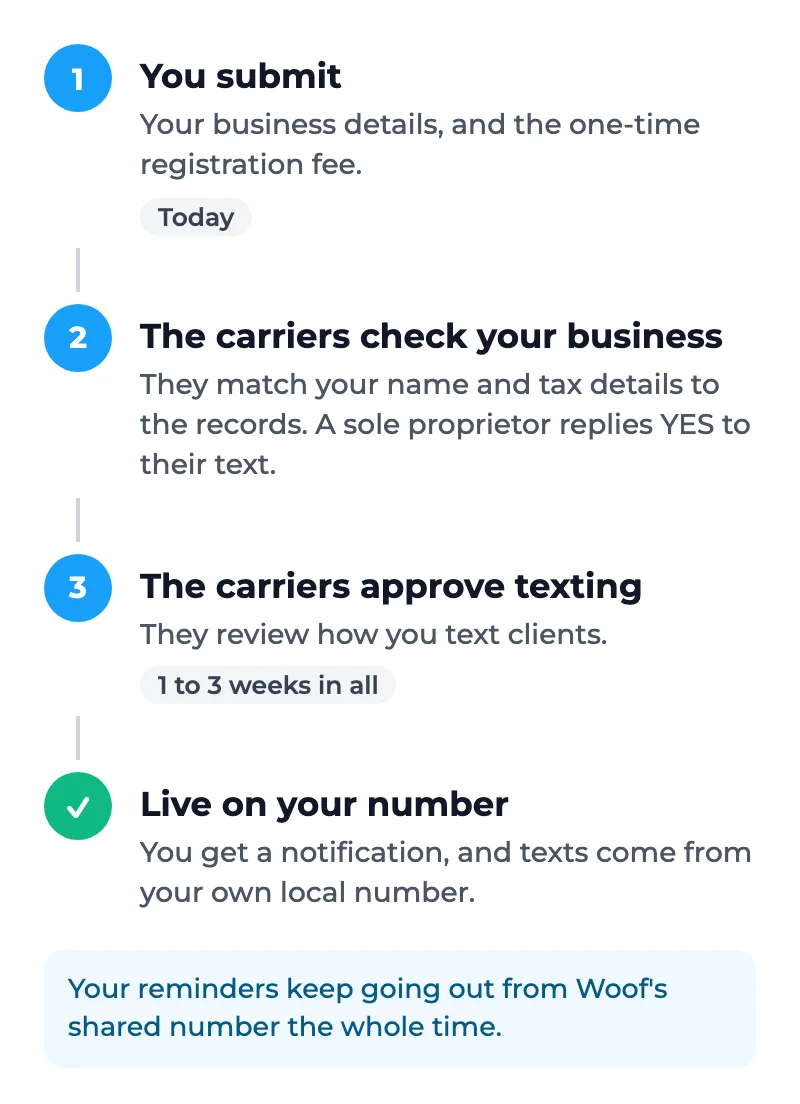
The carriers text the mobile you gave. Reply YES within 24 hours to confirm it is your business. No text? Press Resend the text (once a minute).

4. Wait for the carriers
The page shows where it stands: Submitted, Business approved, Texting approved by the carriers, Live on your number. Your reminders keep going out from Woof's shared number the whole time. When your number is live you get a notification, and the page shows it.

If the carriers turn it down
The page shows their reason, usually a name or tax number that does not match the records exactly. Fix the details and press Review and resubmit. Resubmitting costs nothing more.
Good to know
- Texting clients back from Messages is coming next. Until then your replies in Messages go to the client's portal and email.
- If your plan is cancelled, the number is released. Turning two-way texting on again later gets a new number, with no second registration fee.
Thanks for letting us know.